All guides
Look up what already happened
Search staff-created pass records by student, teacher, expected destination or date.
History is the searchable register of records created in Vero. Authorised staff can retrieve an entry by student, staff member, expected destination, or date without searching paper folders. It records the workflow; it does not verify where a student physically was.
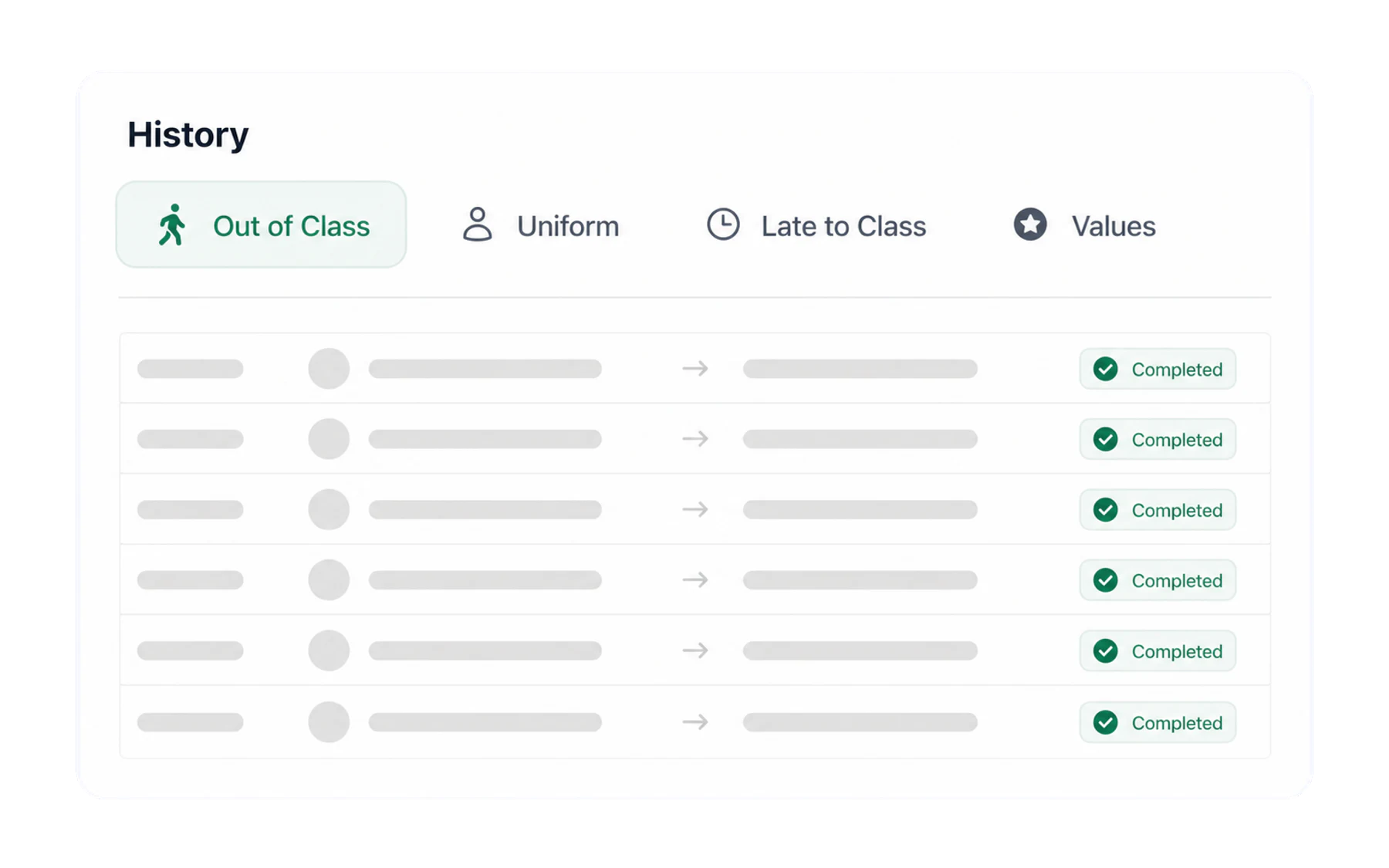
The four tabs
History covers every module your school has switched on, not just passes. The tabs across the top split them:
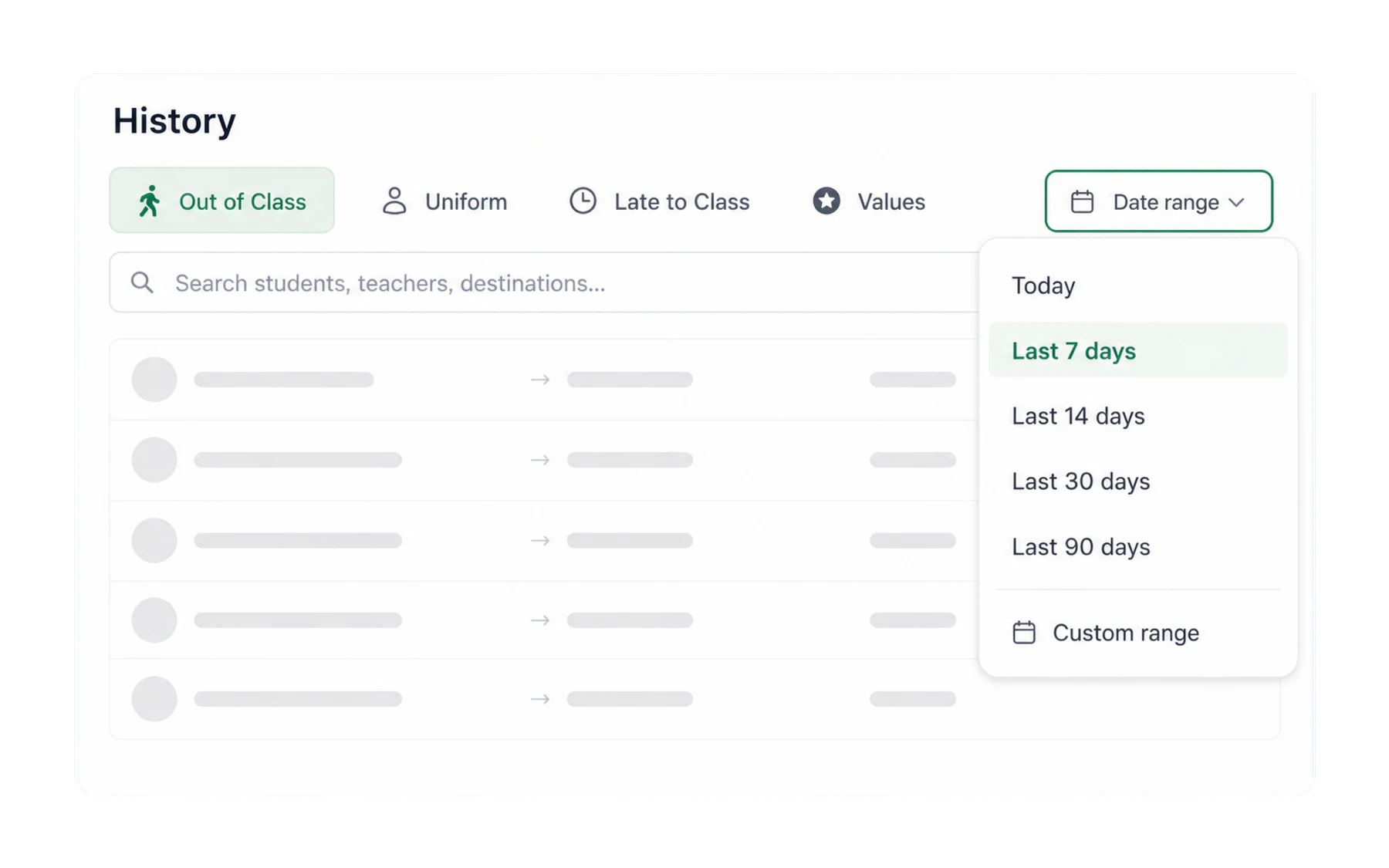
Finding one thing
- Search matches student names, staff names and destinations at once, so “Chen”, “Bathroom” and a colleague’s surname all work in the same box.
- Set the date range. The default is the last 7 days; the dropdown offers longer windows when you are looking further back.
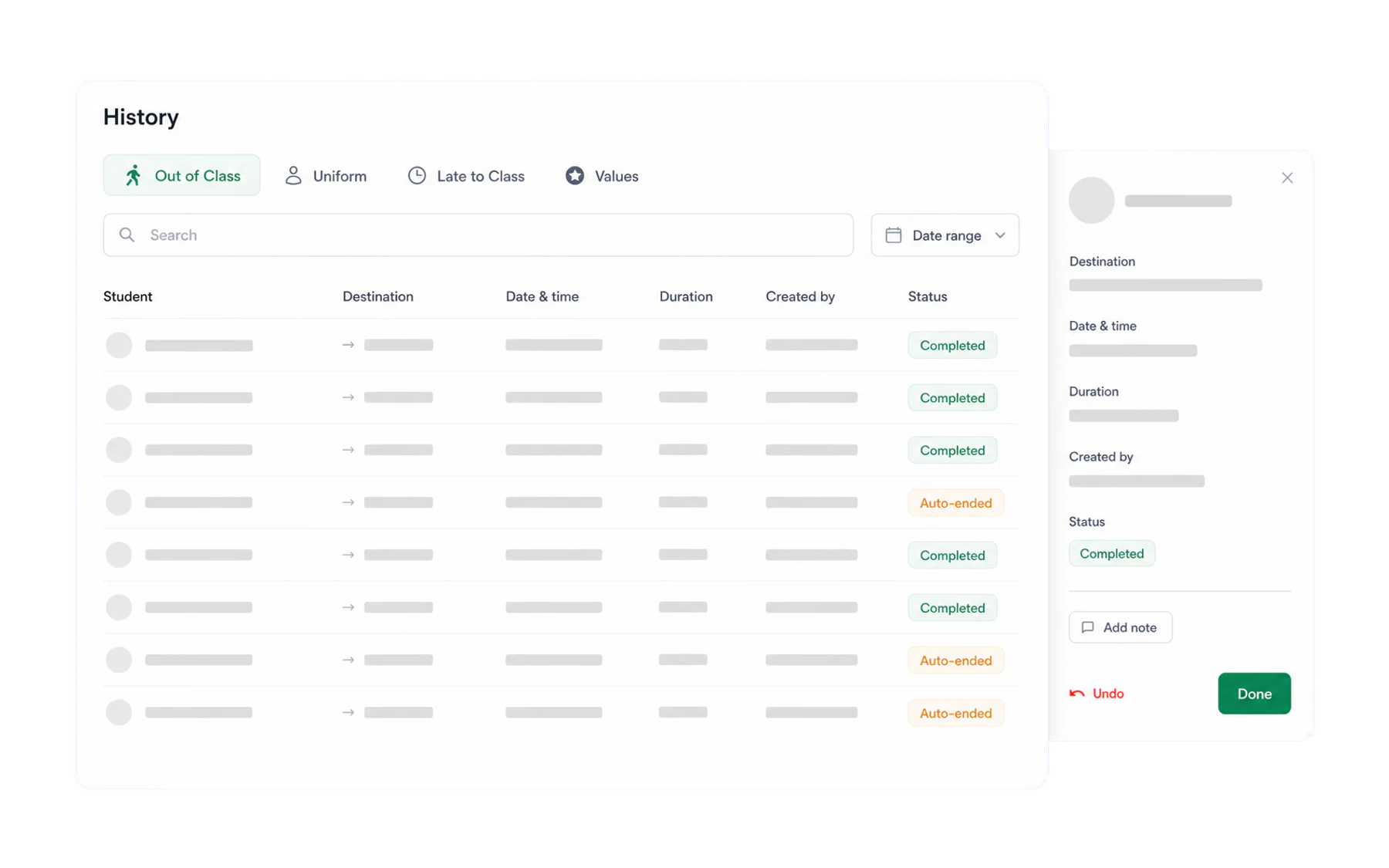
Reading a row
- Student — photo and name, so you are certain which one.
- Destination — the expected destination selected when the record was created.
- Date & time — when the pass started, in your school’s timezone.
- Duration — how long it ran.
- Created by — the staff member who issued it.
- Status — Completed when someone closed it, or auto-ended if the time limit did.
Who can see it
Access to pass history follows the school’s configured roles. Staff should use it only for an authorised operational purpose, such as a pass handover or checking an existing record. Aggregated reporting has additional role restrictions; see Roles: who can see what.
Getting it out of Vero
For a spreadsheet, use the export in Insights rather than copying from this screen — it takes the whole filtered data set rather than the visible page. See Export to CSV.