All guides
Create an alert rule
Configure thresholds, windows, scope and recipients for a record-review notification.
An alert rule evaluates records when they are created or updated and sends a notification when a school-configured threshold is met. It is a review prompt, not an automatic finding about a student.
Open Alerts and choose New Alert.
Choose the record type — out-of-class passes, uniform entries, or late-arrival records.
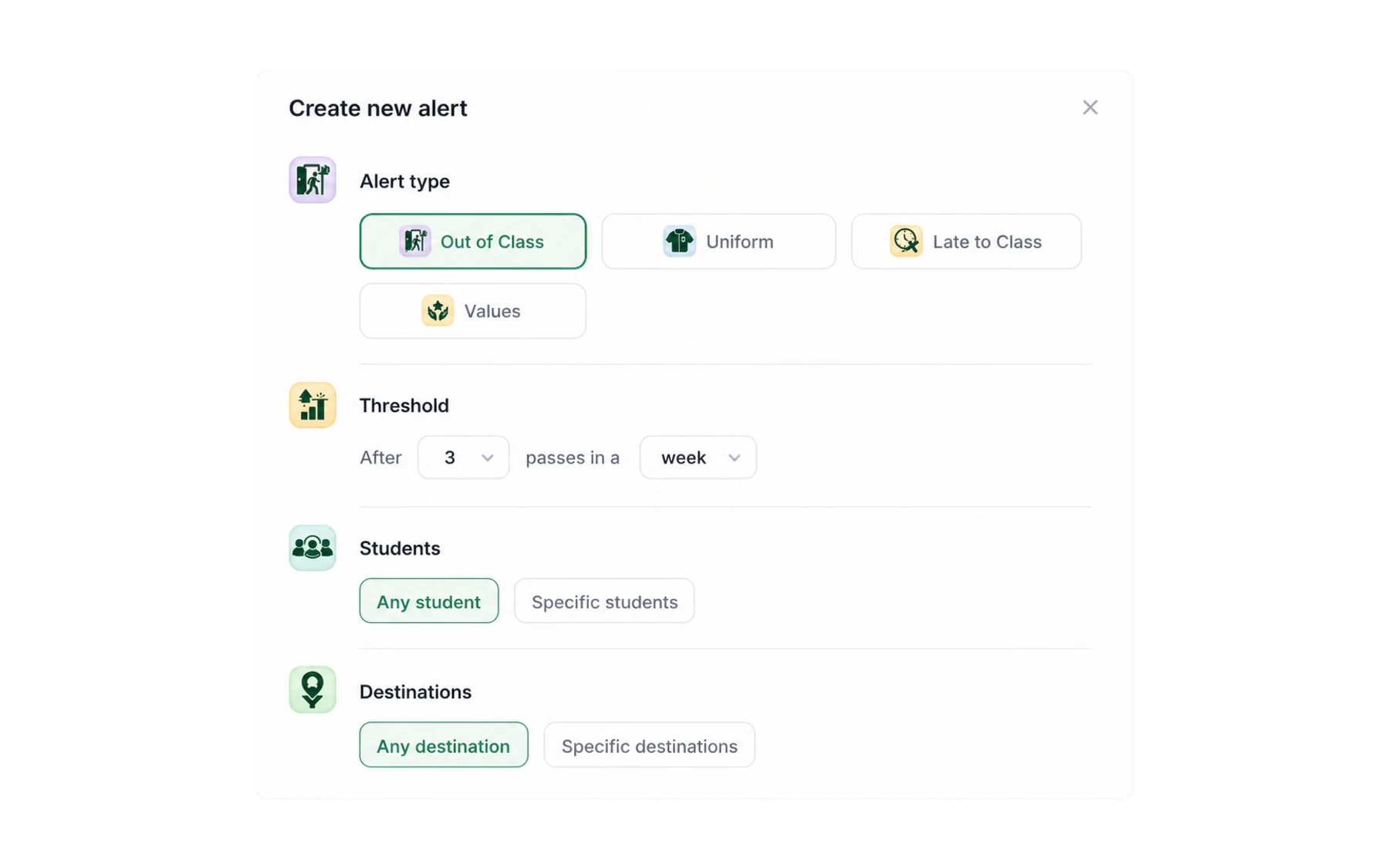
Pick the module, the threshold, and the window the count runs over. Set the threshold. “Alert me when count reaches 3 records” is the whole rule.Add another threshold lets one rule escalate — 3 for a heads-up, 6 for a stronger one — rather than needing two rules.
Choose the reset period. Day, week, fortnight, month, term or year. This is the setting people get wrong most often. Choose a window that matches the documented purpose of the rule and test it against normal record volumes before switching it on.
Scope it. Choose only the students or cohorts and destinations necessary for the documented review purpose. Individual named-student rules should follow the school’s access, approval, and review process.
Choose how you are told — in-app, email, or both — then read the preview.
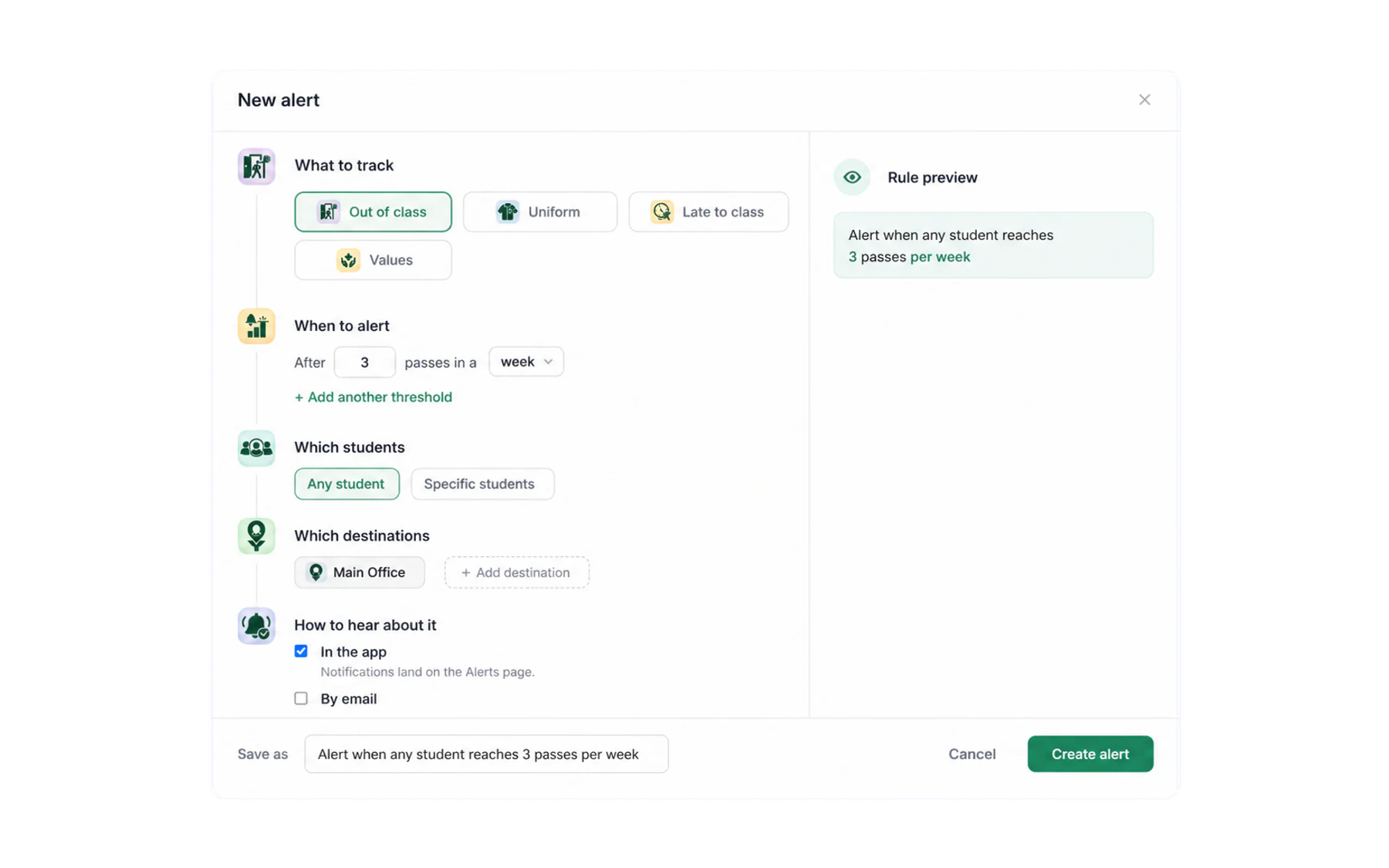
The preview reads the rule back in plain English. If it does not say what you meant, fix it here.
Examples of narrowly scoped rules
- Extended open pass. Notify the relevant operational role when a pass remains open beyond the school’s configured duration threshold.
- Cohort volume review. Send an aggregate notification to an authorised coordinator when record volume for their year group reaches a documented operational threshold.
- Uniform workflow review. Uniform entries, scoped to one year group and routed only to the role responsible for that process.
- Late-record review. Late-to-class records for a defined period, routed to the staff member responsible for reviewing those records under school policy.
Setting the number
Start looser than feels right, then tighten. A rule that fires forty times in its first week gets muted, and a muted rule is worse than no rule — it teaches people that Vero notifications do not matter.
Check normal record volumes in Insights before you choose a threshold. Document the purpose, reviewer, access scope, and action the notification is allowed to prompt before enabling the rule.
Next
Getting the alert to the right person, and deciding between an immediate ping and a daily digest, is covered in Send alerts to the right person.