All guides
Roles: who can see what
Teacher, Insight Viewer, Front Office, School Admin — what each role unlocks and who assigns them.
Vero holds information about children, so who sees what is deliberately narrow. Access comes from two independent things: the role your school gave you, and whichmodules your school has switched on. Roles change which areas you can open; modules change which actions and records are available inside them.
The roles
Teacher
Issue passes, end them, and use whichever modules are on. Teaching staff can see their school’s active-pass register and pass history according to role, which supports operational handovers. Teachers do not get Insights, alert rules, or the admin area.
Insight Viewer
Everything a teacher has, plus Insights, individual Vero record views, exports and review rules. This role is for staff with an approved need to review records beyond the current day. It is granted deliberately, one person at a time.
Front Office
A narrow role for administrative staff: process confiscation returns and disposals without any of the analytics. It exists so the person handing a phone back at 3:30 does not need a leadership-level account.
School Admin
Everything above, plus the Admin area: staff, students, roles, destinations, module lists, features, branding and the SIS connection. Keep this list short — two or three people is typical.
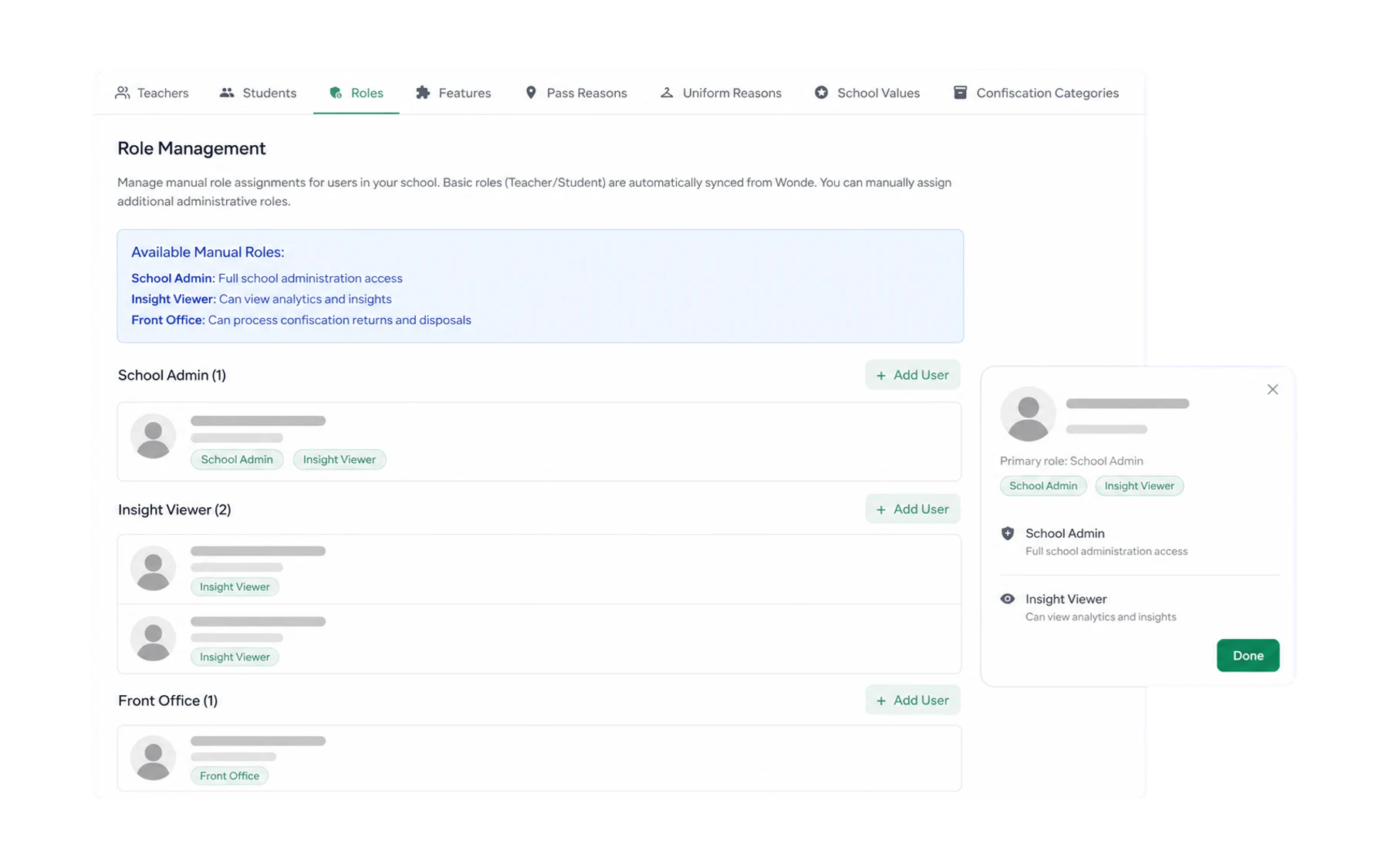
What modules change
Uniform, values, confiscations, kiosk mode and lateness are optional. A school switches each on when it is ready — so a teacher at one school sees Log Uniform in the Log Student action rail and the same teacher at another does not. See Turn modules on and off.
Who can see records associated with a student
- Teaching staff see the pass register and history made available to their role — student, expected destination, associated times and the staff member who created each entry.
- Insight Viewers and administrators additionally see authorised summaries and the individual Vero record view across enabled modules. Recorded open-pass time is not verified physical absence or learning time missed.
- Students do not receive Vero accounts or passwords.
- Parents have no Vero login. Schools share what they choose to share.
When someone leaves
If your school syncs from an SIS, a staff member who disappears from the staff list is deactivated automatically on a later daily sync where supported. Otherwise an administrator deactivates the account underAdmin → Staff. Either way the historical record they created stays intact — deactivating someone never rewrites what already happened.