Record students arriving late
Create consistent late-arrival records for authorised staff review.
Lateness is the most under-recorded thing in a school. A student who arrives six minutes late to every period misses close to half an hour a day, and nothing in a normal roll captures it — the roll says present. Vero records the arrival itself, so the pattern becomes visible.
Recording a late arrival
On desktop, open Log Student, choose the class and student, then select Late to Class in the action rail. On a phone, it is the same in the phone app’s Log Student tab: the student, then Late to Class — handy at the door, where you are standing when a student walks in halfway through the starter.
Reading the pattern
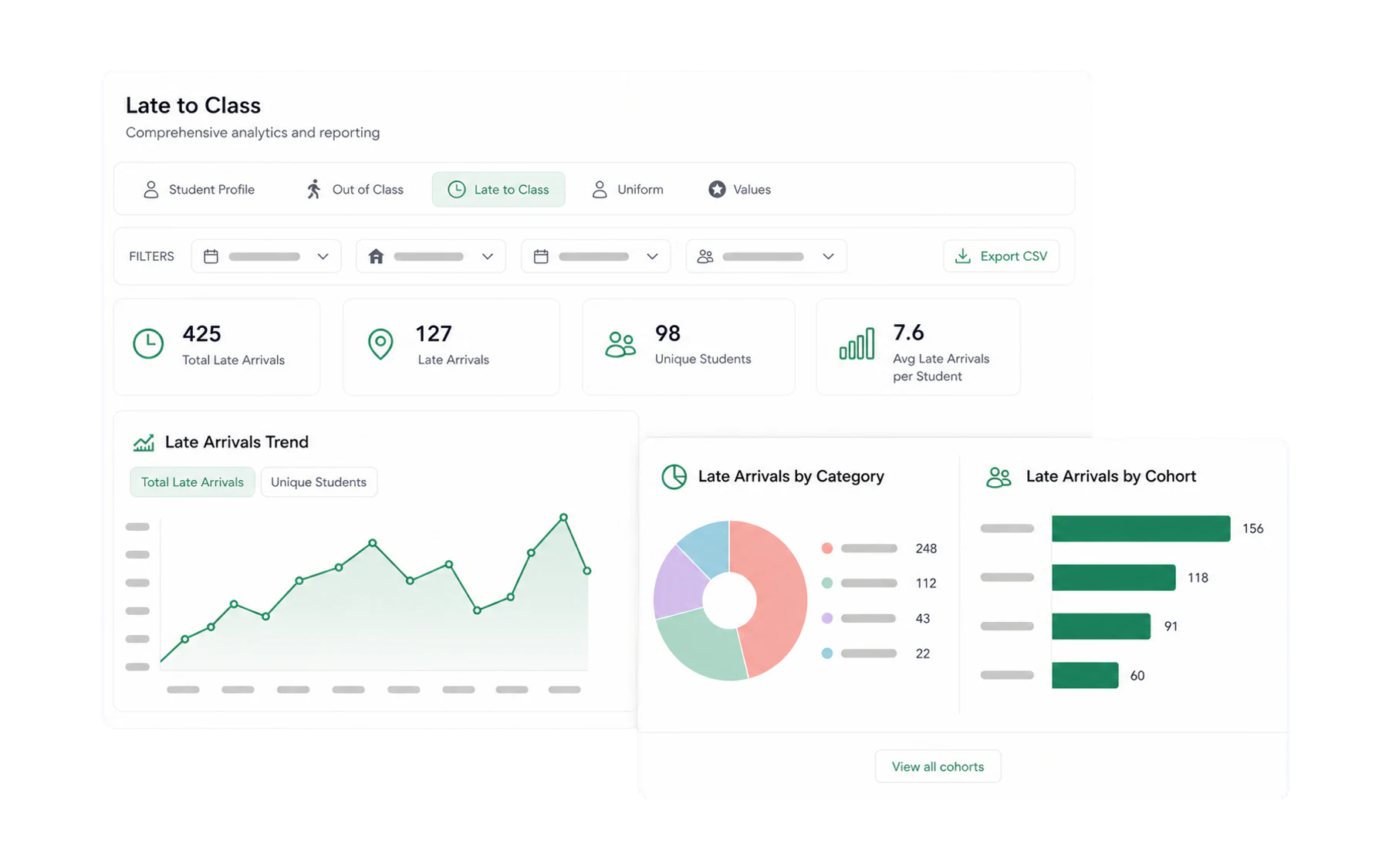
Insights → Late to Class is where the recording pays off. The questions it answers are the ones a deputy actually has:
- Which period? Lateness clustered after recess is a movement-and-timing problem, not an attitude problem.
- Which students? A handful of names usually accounts for most of it.
- Which day? Monday period 1 is a different conversation from Thursday period 5.
Lateness and passes together
A student profile puts lateness beside out-of-class passes and totals the class time missed. That total is the number that moves a conversation with a family — not “he’s often late”, but “he has missed eleven hours of class this term”.
Being told about it
An alert rule with a tally threshold tells the person who set it, such as a year coordinator, when a student reaches, say, five late arrivals — early enough to intervene rather than at the end of term when the report is written.