All guides
Build a report for a meeting
A ten-minute recipe for a scoped summary of records created in Vero.
Most schools want the same pass-record summary each term, and it takes about ten minutes to produce once you know which four numbers to pull. Here is the recipe.
The ten-minute version
Set the window. Insights → Out of Class, date range set to the term. Leave every other filter off — this is the school-wide picture.
Take the four headline numbers from the row along the top: Total Passes, Unique Students, Avg Duration, and Lesson Time Missed.
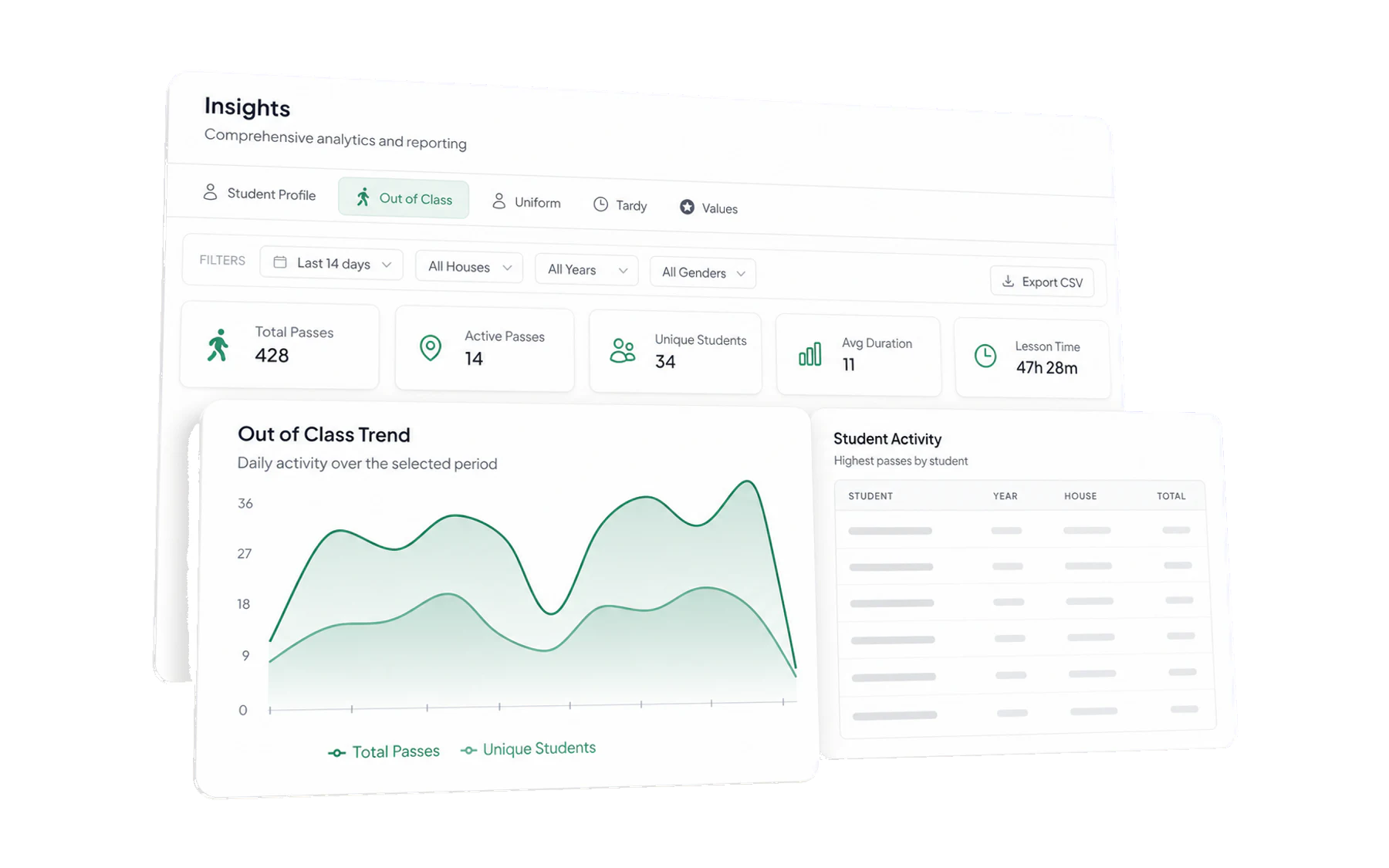
The four numbers along the top are the report. Everything else is explanation. Repeat for the previous term and note both sets. A number on its own is not a finding; a number next to last term’s is.
Add one breakdown. Filter by year level and record passes per student for each. This is where the story usually is.
Include the trend chart. A shape is worth more to a governing body than a table, and the daily line shows term rhythm at a glance.
Export the underlying data and keep it with the report, so any number can be checked later. Export to CSV.
What each number is for
- Lesson Time Missed is the interface label for summed recorded pass duration. Describe it as open-pass time, not verified physical absence or learning missed.
- Total Passes ÷ Unique Students describes how records are distributed. It does not establish a school-wide habit or individual behaviour.
- Avg Duration against your time limit says whether the limit is realistic.
- The trend line shows changes in recorded entries; consider changes in staff recording practice before attributing a cause.
Adding the other modules
If your school runs uniform, lateness or values, one line each is usually enough: the term total and the direction of travel. Detail belongs in an appendix, not on a slide.
Being honest about causes
Two caveats belong in every report of this kind, and including them buys you credibility for the rest:
- Recording rates change. A rise can mean more staff are recording rather than more students leaving. If you ran a staff reminder, say so.
- Terms are not identical. Length, timetables, exams, camps and recording practice can all change these numbers.
Doing it less often
An optional alert digest can help staff review records that crossed a school-defined threshold. It does not replace this termly report: fixed-timetable report emails independent of those rules are not currently available. Keep the filtered CSV and your interpretation together for each leadership review.