All guides
Overdue passes and the time limit
How long a pass runs before Vero flags it, what auto-end does, and where an administrator changes the limit.
Every school sets one number: how long a pass may run before Vero treats it as overdue. Vero ships with 15 minutes. That single setting drives the overdue flag on the Switchboard, the late marker on the kiosk, and the point at which a forgotten pass closes itself.
What happens as the clock runs
- Within the limit. The card is amber and shows how long the pass record has been open.
- Past the limit. The pass is flagged as overdue. On a kiosk screen the student’s card turns red and is markedLate, indicating that the open record exceeded the threshold without a recorded check-in.
- Auto-end. Vero closes the pass and records it as auto-ended rather than returned. The student is no longer shown as out.
Changing the auto-end limit
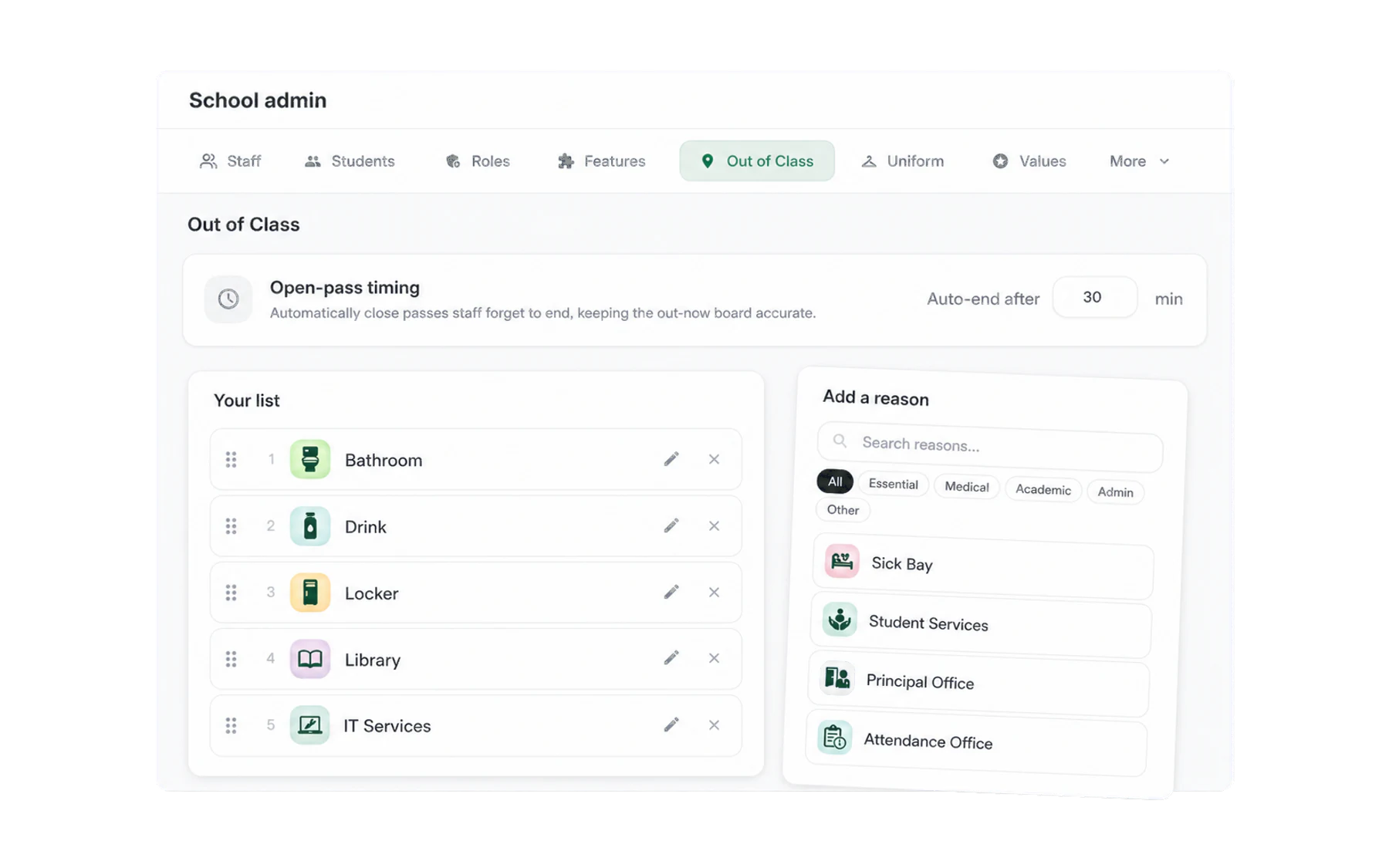
Go to Admin → Out of Class. Under Open-pass timing, enter the number of minutes beside Auto-end after, then choose Save changes. The school-wide limit applies to passes that are already open as well as new passes.
Picking a number
Time it honestly. Walk from the furthest classroom to the furthest bathroom and back, at the pace a fifteen-year-old walks, and round up. Most secondary schools land between 8 and 15 minutes.
- Too short and everything is overdue, so overdue stops meaning anything — and staff start ignoring the colour that was supposed to prompt them.
- Too long and a student can be gone half a lesson before anything shows.
A sprawling campus is a legitimate reason for a longer limit. So is the reverse: a compact building can run tighter.
Seeing how often it happens
Insights reports average recorded duration and summed open-pass time, and lets authorised users filter to a period, year level, or house. Use the summary to review the workflow and threshold; do not infer wellbeing or behaviour from duration alone.